If your website still shows “Not Secure” in Chrome’s address bar, you’re dealing with more than just a warning label.
That “Not Secure” message is costing you rankings, trust, and conversions – in that order. Google confirmed HTTPS as a ranking signal back in 2014. In 2026, a decade later, sites without HTTPS are still being outranked by HTTPS competitors with otherwise equal signals. And the problem has compounded: browsers have become far more aggressive about flagging insecure sites, users have become far more security-conscious, and AI-driven search systems have added page experience to their content evaluation criteria.
This guide covers everything you need to know about HTTPS SEO impact 2026 – why it matters, how to implement it correctly, what can go wrong, and how to fix it.
What Is HTTPS and Why Does It Matter?
HTTPS (HyperText Transfer Protocol Secure) is the encrypted version of HTTP. When a site uses HTTPS, data transferred between the user’s browser and the web server is encrypted using TLS (Transport Layer Security). This prevents third parties from intercepting or modifying the data in transit.
The practical implications for websites:
- Visitors’ form submissions, login credentials, and payment data are protected
- Browsers display a padlock icon (or no warning) instead of a “Not Secure” label
- Google’s crawler treats the site as more trustworthy
- The site qualifies for certain browser features that HTTP sites cannot use (Service Workers, Progressive Web App functionality, geolocation API)
For Indian business websites handling any user data – contact forms, enquiry forms, WhatsApp click tracking, eCommerce checkouts – HTTPS is non-negotiable.
HTTPS as a Google Ranking Signal
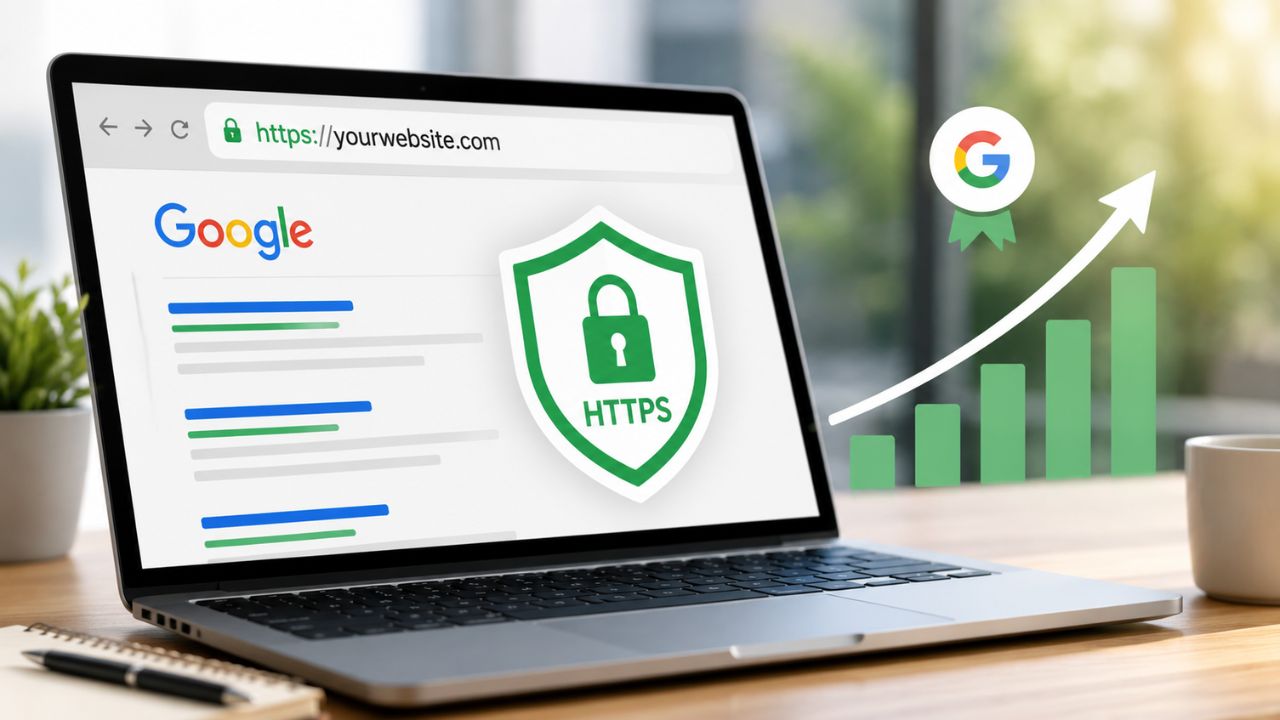
HTTPS is a confirmed, direct Google ranking factor. Google announced this in 2014 and has since confirmed it multiple times. It functions as a tiebreaker – when two pages are otherwise equivalent in relevance and authority, the HTTPS page ranks above the HTTP page.
In practice, by 2026 the vast majority of competitive search results are already HTTPS. The ranking signal is less about gaining an advantage and more about avoiding a disadvantage – a site without HTTPS is at a structural disadvantage against every HTTPS competitor it faces.
How HTTPS Affects Core Web Vitals and Page Experience
Beyond the direct ranking signal, HTTPS affects the broader page experience Google 2026 evaluation:
- HTTP/2 and HTTP/3 protocols require HTTPS – these newer, faster protocols significantly improve page load speed, which directly affects Core Web Vitals (LCP in particular)
- Browser caching and preloading features work more reliably over HTTPS
- Mixed content warnings on sites with incomplete HTTPS implementation can suppress page experience scores
A site on HTTP/1.1 due to lack of HTTPS is structurally slower than the same site on HTTP/2 or HTTP/3 – and that speed difference shows up directly in Core Web Vitals measurements.
SSL Certificate SEO: Understanding the Basics
An SSL (Secure Sockets Layer) certificate – technically now TLS, though “SSL” remains the common term – is the digital certificate that enables HTTPS on your site. It authenticates your site’s identity and enables the encrypted connection.
Types of SSL Certificates
Domain Validation (DV): The most common type for standard business websites. Validates that you own the domain. Issued quickly (often within minutes), free or very low cost. Sufficient for blogs, service sites, eCommerce, and most Indian business websites.
Organisation Validation (OV): Validates both domain ownership and the organisation’s legal existence. Takes longer and requires documentation. Used by established businesses that want to display verified organisation details in the certificate.
Extended Validation (EV): The highest level – requires extensive verification of the organisation. Previously triggered a green address bar in browsers, but major browsers removed the visual distinction in 2019. Now primarily used by large financial institutions and enterprises.
For most Indian business websites, a DV certificate is entirely sufficient for both SEO and user trust.
Free vs Paid SSL Certificates
Let’s Encrypt is a free, automated, widely-used Certificate Authority that issues DV certificates. It’s used by millions of websites and is fully trusted by all major browsers. Most quality hosting providers offer Let’s Encrypt integration with one-click installation.
Paid SSL certificates from providers like DigiCert or Comodo offer additional features (warranties, extended validation, organisation validation) but provide no SEO advantage over a properly installed free certificate. For SEO purposes, a free Let’s Encrypt certificate is identical to a paid DV certificate.
Site Security Ranking 2026: What Google Actually Checks
Google’s security evaluation in 2026 goes beyond just whether your site has HTTPS. Here’s what Googlebot and Google’s security systems actually look at:
HTTPS Implementation Quality
Having an SSL certificate installed is necessary but not sufficient. Common HTTPS implementation problems that affect SEO:
- Mixed content – the page loads over HTTPS but includes resources (images, scripts, stylesheets) loaded over HTTP. Browsers block or warn about mixed content, degrading user experience and potentially suppressing page experience scores.
- Expired SSL certificate – if your certificate expires and isn’t renewed, browsers show an immediate full-screen error blocking access to your site entirely. This causes an immediate ranking collapse.
- SSL certificate not covering all subdomains – if your certificate covers domain.com but not www.domain.com or blog.domain.com, those subdomains show security warnings.
- Incorrect redirect implementation – HTTP should redirect to HTTPS via 301 redirect. Sites with improper redirects (302 redirects, redirect loops, or no redirect at all) allow both HTTP and HTTPS versions to be accessible, creating duplicate content issues.
Google Safe Browsing
Google’s Safe Browsing system actively scans websites for malware, phishing pages, deceptive content, and harmful downloads. If your site is flagged by Safe Browsing, the consequences are severe:
- Chrome shows a full-page red warning before visitors can access your site
- Google Search Console issues a security alert
- Your site’s ranking drops dramatically – often disappearing from search results entirely
- Removal from the flag requires fixing the issue and submitting a review request in Search Console
Check your site’s Safe Browsing status at transparencyreport.google.com/safe-browsing/search – any Indian business site should have this as a monthly monitoring habit.
Hacked Site Penalties
WordPress sites in particular are targets for hacking – injected spam links, redirects to malicious sites, hidden content added to pages. A hacked site that hasn’t been detected can rank-drop severely as Google discovers the malicious content.
Signs your site may have been hacked:
- Search Console shows a security issue notification
- Unusual pages appearing in your site: operator search results
- Your ranking drops suddenly without a clear SEO reason
- Visitors report being redirected to unexpected sites
How to Implement HTTPS Correctly
Step 1: Install an SSL Certificate
For WordPress sites on most Indian hosting providers (Hostinger, Bluehost India, BigRock, SiteGround):
- Most panels offer Let’s Encrypt with one-click installation via cPanel or a custom panel
- Go to your hosting control panel → SSL/TLS → Install Let’s Encrypt
- Select your domain and www subdomain – install on both
Step 2: Force HTTPS with 301 Redirects
After installing the certificate, ensure all HTTP traffic redirects to HTTPS. This is where most implementations fail.
For Apache servers, add to .htaccess:
RewriteEngine On
RewriteCond %{HTTPS} off
RewriteRule ^(.*)$ https://%{HTTP_HOST}%{REQUEST_URI} [L,R=301]
For WordPress, many SSL plugins (Really Simple SSL is the most widely used in India) handle this automatically. After activation, verify the redirect is working and returning a 301 (not 302) status.
Step 3: Fix Mixed Content
After moving to HTTPS, audit for mixed content:
- Use Why No Padlock (whynopadlock.com) – enter any URL and it identifies all HTTP resources loading on the page
- In WordPress, a plugin like Better Search Replace can update internal HTTP URLs to HTTPS in your database
- Update any hardcoded HTTP links in your theme files, widgets, or custom code
Step 4: Update Internal Links and Sitemap
- Update your XML sitemap to use HTTPS URLs
- Update your canonical tags to use HTTPS versions
- Update any internal links that still point to HTTP versions
- Submit the updated sitemap to Google Search Console
Step 5: Verify in Google Search Console
Add your HTTPS version as a separate property in Search Console (if it isn’t already) and verify it. Check that Google is crawling and indexing HTTPS URLs rather than HTTP versions.
HTTPS Ranking Factor: Common Mistakes That Negate the Benefit
Even after installing HTTPS, these mistakes undermine the SEO value:
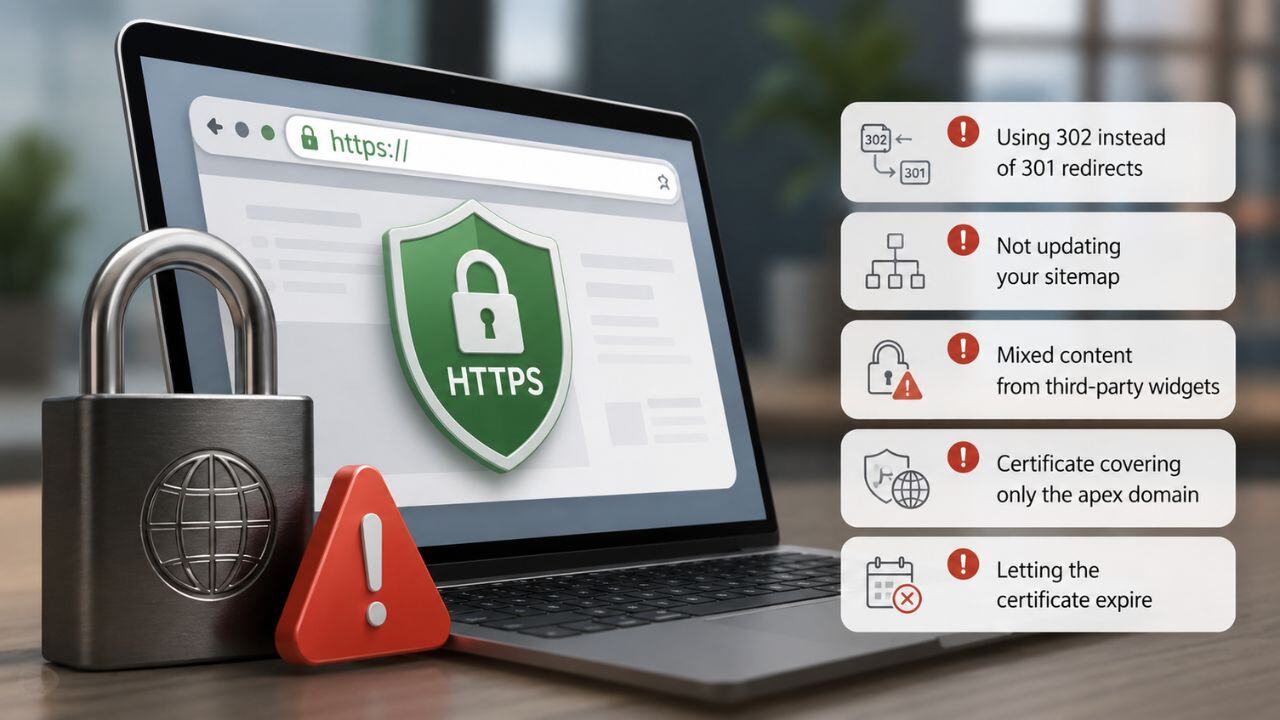
- Using 302 instead of 301 redirects from HTTP to HTTPS – 302 is temporary and doesn’t pass full ranking signals
- Not updating your sitemap – if your sitemap still lists HTTP URLs, you’re sending conflicting signals
- Mixed content from third-party widgets – social share buttons, chat widgets, and analytics tools sometimes load HTTP resources even after you’ve moved to HTTPS
- Certificate covering only the apex domain – ensure www and non-www versions are both covered
- Letting the certificate expire – Let’s Encrypt certificates expire every 90 days. Auto-renewal should be configured and verified – most hosting providers handle this, but confirm it’s active
The Bottom Line
HTTPS is not optional in 2026. It’s a confirmed ranking factor, a browser trust signal, a prerequisite for modern web protocols that improve speed, and an essential protection for your users’ data.
For HTTPS SEO Impact 2026, Indian businesses should install SSL (such as Let’s Encrypt), force HTTPS with 301 redirects, fix mixed content issues, and regularly monitor SSL validity and website security to maintain rankings, trust, and performance.
A secure site isn’t just better for SEO – it’s better for every visitor who trusts you with their information.
Want BeSky Marketing to Audit Your Site Security and HTTPS Setup?
At BeSky Marketing, we help Indian businesses improve XML Sitemap & Robots.txt SEO in 2026-auditing sitemap structure, robots.txt settings, blocked pages, and indexing gaps to ensure better crawling, faster indexing, and stronger SEO performance.
Frequently Asked Questions (FAQs)
Q1. Is HTTPS still important for SEO in 2026?
Yes. HTTPS remains a Google ranking signal and a trust factor. It also improves site speed through HTTP/2 and HTTP/3, helping with Core Web Vitals and reducing bounce rates.
Q2. Does the SSL certificate type affect SEO?
No. Google treats all valid SSL certificates equally. Free SSL (Let’s Encrypt) and paid SSL have the same SEO value if configured properly.
Q3. Why does my site show a warning despite HTTPS?
Usually because of mixed content – some images, scripts, or files still load over HTTP. Fixing these removes browser security warnings.
Q4. How do I check when my SSL expires?
Use hosting alerts, Google Search Console, or SSL checker tools. Most SSL certificates renew automatically, but always verify auto-renewal is active.
Q5. Does HTTPS stop WordPress hacking?
No. HTTPS secures data transfer but doesn’t stop hacks. Keep plugins updated, use strong passwords, enable 2FA, and install security tools.
