

You published 80 pages. Google indexed 45. The rest are either invisible or cannibalising each other – and you have no idea why.
Duplicate content is one of the most common technical SEO problems on Indian business websites, and it operates almost entirely in the background. You don’t see it in your analytics. Your site looks fine. But Google is confused about which version of your pages to rank, it’s splitting ranking signals across multiple URLs, and your pages are competing against themselves instead of competing against your actual competitors.
This guide is your complete reference for duplicate content canonical tags SEO 2026 – what causes it, how to diagnose it, and exactly how to fix it.
What Is Duplicate Content and Why Does It Hurt SEO?
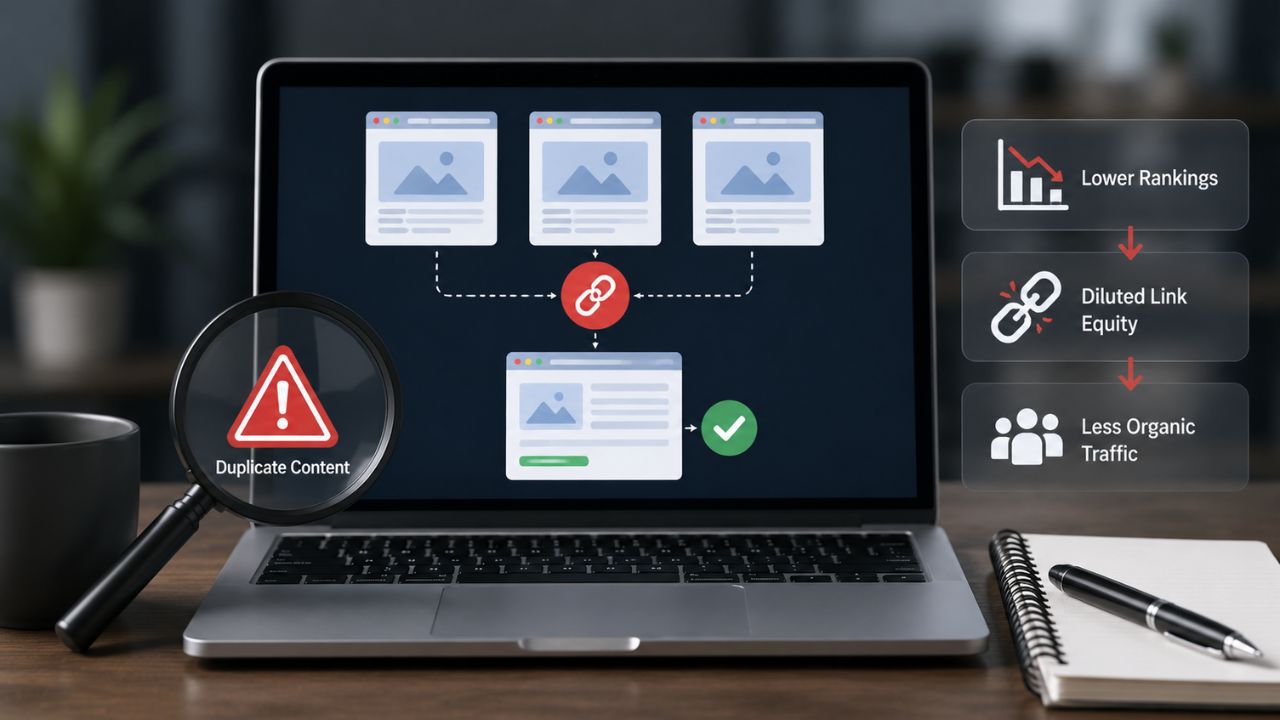
Duplicate content occurs when the same or substantially similar content is accessible at multiple URLs. This can happen within your own site (internal duplication) or across different websites (external duplication).
Google doesn’t penalise duplicate content in the traditional sense. There’s no “duplicate content penalty.” What actually happens is more nuanced and, in many ways, more damaging:
- Google must decide which of the duplicate URLs to rank – it makes that choice, not you
- Ranking signals (backlinks, authority, engagement signals) get split across duplicate URLs instead of consolidated on one
- Google may reduce crawl frequency for your site if it encounters too much duplicate content
- The “wrong” version of a page may end up indexed and ranking, while your preferred version is ignored
The cumulative effect: diluted authority, lower rankings, wasted crawl budget, and missed traffic. In 2026, with Google’s AI systems evaluating content quality and uniqueness as part of relevance signals for AI Overviews, duplicate content has an additional cost – it signals low editorial quality to systems that increasingly reward original, authoritative content.
Common Causes of Duplicate Content on Indian Business Websites
Most duplicate content isn’t created deliberately. It’s a byproduct of how websites work. Here are the most common sources:
HTTP vs HTTPS and WWW vs Non-WWW
If your website is accessible at both http://domain.com and https://domain.com, or both www.domain.com and domain.com, Google sees these as four potentially separate URLs – all serving identical content.
This is the most widespread duplicate content issue on Indian websites, and it’s easily fixed: implement 301 redirects so all traffic routes to a single canonical version (ideally https://www.domain.com or https://domain.com – pick one and stick with it).
URL Parameters
Many CMS platforms, eCommerce sites, and analytics tools append parameters to URLs:
- ?utm_source=newsletter – tracking parameters from campaigns
- ?sort=price – sorting parameters on product listings
- ?page=2 – pagination parameters
- ?ref=homepage – referral tracking parameters
Each parameter variation can create a new URL that Google crawls separately – potentially creating dozens or hundreds of duplicate pages from a single original.
Category and Tag Archive Pages
WordPress creates archive pages for every category, tag, author, and date. For most Indian business websites, these archive pages have thin or duplicate content – they simply list posts that already exist on individual post pages, creating significant overlap.
Printer-Friendly Pages
Older websites sometimes generate separate printer-friendly versions of pages at distinct URLs, duplicating the full page content at a different path.
Content Syndication
If you republish your blog content on other platforms (LinkedIn articles, Medium, partner sites) without canonical tags pointing back to your site, Google may rank the syndicated version instead of your original.
Pagination Issues
Multi-page articles or product listings where page 1 and page 2 contain similar content, navigation, and metadata without proper canonical or pagination tags.
Fix Duplicate Content SEO: The Canonical Tag Solution
The canonical tag is the primary tool for resolving duplicate content. It’s a single line of HTML in a page’s <head> section that tells Google which URL is the preferred, canonical version:
<link rel=”canonical” href=”https://beskymarketing.com/preferred-page-url/” />
The canonical tag is a strong hint, not a directive. Google will usually follow it, but may override it if the canonical URL and the current URL are too different or if signals contradict the canonical declaration.
When to Use Canonical Tags
Use a canonical tag when:
- Multiple URLs serve the same or very similar content
- You have URL parameter variants of the same page
- Content is syndicated to other sites (add canonical on the syndicated copy pointing to your original)
- You have paginated content where page 2+ overlaps significantly with page 1
- Your CMS generates multiple archive views of the same posts
Self-Referencing Canonicals
Every page on your site should have a canonical tag pointing to itself – even pages without obvious duplicates. This is a defensive best practice:
- It explicitly signals your preferred URL to Google
- It prevents Google from choosing a canonical for you based on its own analysis
- It protects against future duplication if someone links to a parameter variant of your URL
In WordPress, Yoast SEO and Rank Math add self-referencing canonicals automatically.
Canonical Tag Guide: Implementation Patterns
Pattern 1: Same-Site Duplicate Pages
If your site has two pages with substantially similar content:
- Decide which is the primary/canonical version
- Add <link rel=”canonical” href=”[primary URL]” /> to the secondary page
- Or 301 redirect the secondary page to the primary – redirect is stronger than canonical for true duplicates
Pattern 2: URL Parameters
For eCommerce or filtered pages with parameter variants:
- Add <link rel=”canonical” href=”[base URL without parameters]” /> to all parameter variants
- In Google Search Console → Settings → URL Parameters (if available), configure parameter handling
Pattern 3: WWW and HTTPS Variants
Don’t rely only on canonicals for this – implement proper 301 redirects:
- HTTP → HTTPS (via server redirect or .htaccess)
- Non-www → www (or vice versa, consistently)
- Then add canonical tags pointing to the HTTPS + preferred www/non-www version on every page
Using only canonicals without 301 redirects for these variants wastes crawl budget on the HTTP/non-www versions and creates unnecessary confusion.
Pattern 4: Content Syndication
When your content appears on another site:
- Ask the publishing site to add <link rel=”canonical” href=”[your original URL]” /> in the syndicated copy’s head
- If they won’t, ensure your original is published and indexed before syndication
- Build backlinks to your original version to strengthen its authority signal
Thin Content SEO Fix: The Related Problem
Thin content and duplicate content often go together. Thin content is content that provides little unique value – not necessarily duplicate, but not enough to justify a separate page in Google’s index.
Common thin content issues on Indian business websites:
- Empty or near-empty category pages – WordPress category pages with 1–2 posts and a generic description
- Location pages generated by template – “BeSky Marketing SEO Services in [City]” pages that only change the city name, with identical body content
- Product variant pages – eCommerce pages for colour or size variants with identical descriptions and images
- Boilerplate service pages – service pages that don’t go beyond a brief description and a contact form
How to Fix Thin Content
The fix depends on the nature of the thin content:
Option 1: Improve the content. Add unique, valuable information. For location pages, include local specifics (client case studies from that city, local market data, locally relevant examples). For category pages, write a substantive introduction that provides genuine value.
Option 2: Consolidate. If you have multiple thin pages covering similar topics, merge them into one comprehensive page and redirect the others to it.
Option 3: Noindex. For pages that exist for functional reasons but don’t need to rank (tag pages, author archives, parameter variants), add a noindex tag to remove them from Google’s index without deleting them from your site.
Option 4: Remove. If a page serves no purpose for users or SEO, delete it and redirect any links to the most relevant remaining page.
How to Diagnose Duplicate Content on Your Site
Google Search Console – Pages Report
Go to Indexing → Pages → Why pages aren’t indexed. Look for:
- “Duplicate without user-selected canonical” – Google found duplicates but you haven’t specified a canonical
- “Duplicate, Google chose different canonical than user” – you have a canonical but Google ignored it (investigate why)
- “Alternate page with proper canonical tag” – canonical implemented correctly, non-canonical version excluded
Screaming Frog
Run a full site crawl and use the Canonical filter to:
- Find pages missing canonical tags
- Identify canonical chains (A canonicals to B which canonicals to C)
- Spot canonicals pointing to redirected or 404 URLs
site: Operator Check
Search site:yourdomain.com “key phrase from important page” in Google. If multiple results appear with the same or very similar content, you have a visible duplicate content issue.
Duplicate Content and AI Search in 2026

In 2026, Google’s AI Overviews increasingly favour original, authoritative, well-structured content. Duplicate or thin content pages are explicitly deprioritised in AI-generated summaries – Google’s systems are designed to identify and surface the single best source for any given topic, not surface multiple near-identical versions.
Sites with clean content architecture – unique pages, proper canonicals, no thin content sprawl – are structurally better positioned for AI search visibility than sites with sprawling duplicate content that hasn’t been audited in years.
The Bottom Line
Duplicate content is a structural problem, not a content problem. You don’t fix it by writing more – you fix it by clarifying your URL structure, implementing canonical tags correctly, and removing or improving thin pages.
For Duplicate Content & Canonical Tags SEO 2026, start with Google Search Console to identify duplicate URL issues. Use 301 redirects for HTTP/www duplicates, add canonical tags for similar pages, and improve or remove thin content to strengthen rankings and indexing.
Done systematically, a duplicate content audit often produces ranking improvements within 4–8 weeks as Google consolidates signals onto your preferred URLs.
Want BeSky Marketing to Fix Your Duplicate Content Issues?
At BeSky Marketing, we help Indian businesses improve HTTPS SEO impact in 2026-auditing SSL setup, redirect issues, mixed content problems, and site security to strengthen trust, rankings, and website performance.
Frequently Asked Questions (FAQs)
Q1. Does duplicate content cause a Google penalty?
No. Google usually doesn’t penalise duplicate content but chooses one version to rank, which can dilute rankings and traffic. Canonical tags help consolidate signals.
Q2. 301 Redirect vs Canonical Tag?
A 301 redirect sends users and Google to a new URL permanently. A canonical tag keeps both URLs live but tells Google which version to prioritise.
Q3. How do I check if canonical tags work?
Use Google Search Console URL Inspection to see Google’s selected canonical. You can also check for “Alternate page with proper canonical” status.
Q4. Should every page have a canonical tag?
Yes. Every indexable page should use a self-referencing canonical tag to avoid duplication and clarify the preferred URL to Google.
Q5. Thin Content vs Duplicate Content?
Duplicate content = same content on multiple URLs. Thin content = low-value content with little useful information. Both can hurt SEO rankings.
