
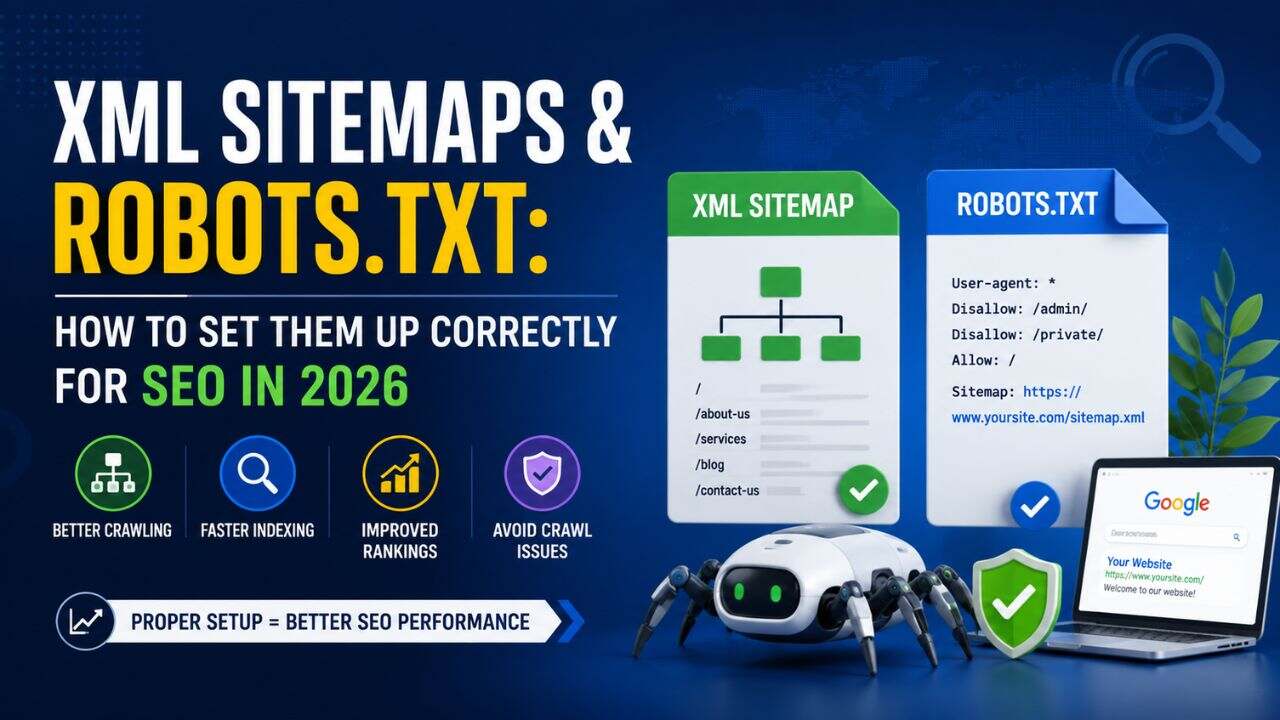
Two files. Both invisible to your website visitors. Both critical to how Google finds, crawls, and indexes your content.
XML sitemaps and robots.txt files are among the most misunderstood technical SEO elements – and they’re consistently misconfigured on Indian business websites. Get them wrong and you’re either blocking Google from pages you want ranked, or flooding Google with pages you don’t.
This guide covers everything you need to know about XML sitemap robots.txt SEO 2026 – what each file does, how to set them up correctly, and the common mistakes that silently suppress rankings.
What Is an XML Sitemap?
An XML sitemap is a file that tells Google which pages on your website exist and should be crawled. Think of it as a table of contents you hand directly to Google’s crawler – a structured list of your important URLs, with optional metadata about each page.
A sitemap doesn’t guarantee indexing. Google is clear that submitting a sitemap tells it which pages to consider, but Google still decides independently which pages to include in the index. A sitemap speeds up discovery and helps Google prioritise – it doesn’t override Google’s quality assessments.
What a Sitemap Contains
A basic XML sitemap entry looks like this:
<url>
<loc>https://beskymarketing.com/local-seo-guide/</loc>
<lastmod>2026-03-15</lastmod>
<changefreq>monthly</changefreq>
<priority>0.8</priority>
</url>
In practice, changefreq and priority are largely ignored by Google in 2026 – Google crawls based on its own signals. The essential element is <loc> – the URL itself. The <lastmod> date is useful when it’s accurate, as it helps Google understand which pages have been recently updated.
Types of Sitemaps
- Standard XML sitemap – list of all indexable web pages
- Image sitemap – helps Google discover and index images
- Video sitemap – for video content hosted on your site
- News sitemap – for Google News-eligible publications
- Sitemap index file – a parent sitemap that links to multiple child sitemaps (used when your site has more than 50,000 URLs or multiple content types)
For most Indian business websites, a standard XML sitemap is all you need.
What Is robots.txt?
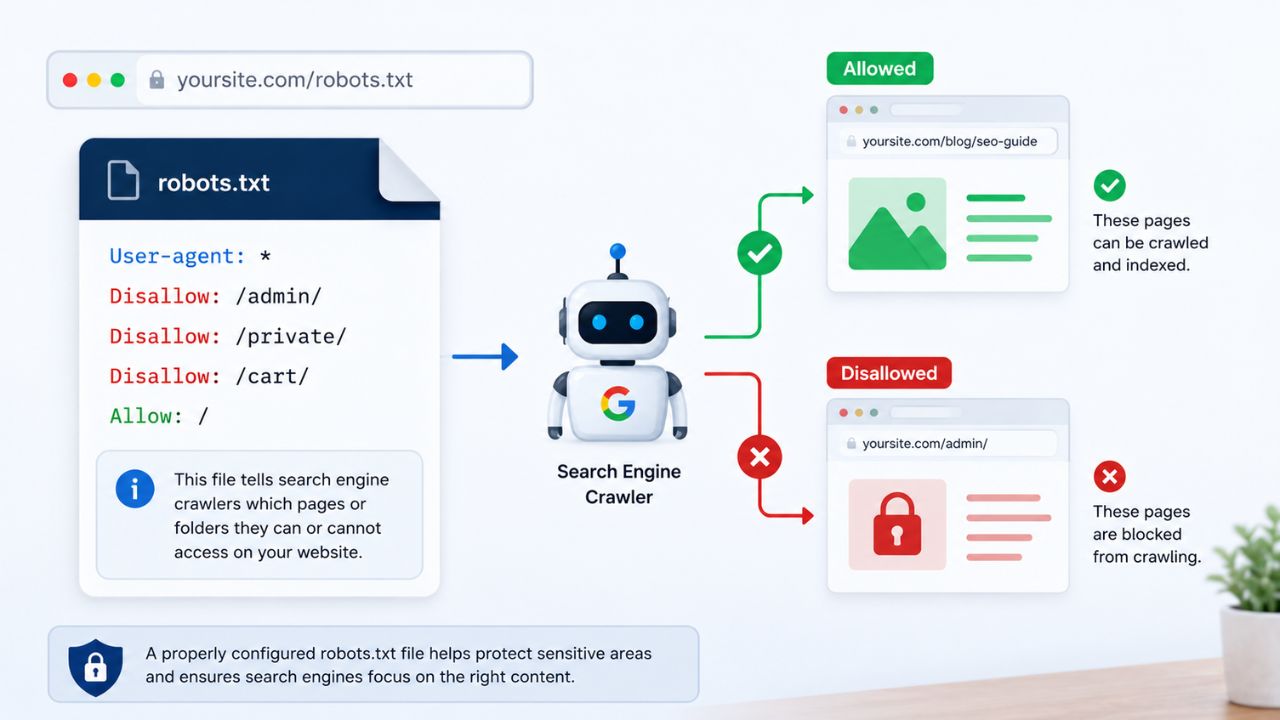
robots.txt is a plain text file at the root of your domain (yourdomain.com/robots.txt) that gives instructions to web crawlers about which pages or sections of your site they can and cannot access.
robots.txt controls crawl access, not indexing. This is the most important distinction to understand: even if you block a URL in robots.txt, Google may still index it if the URL is linked to from other pages. The block prevents Google from crawling the page – not from knowing it exists.
The Basic robots.txt Syntax
User-agent: *
Disallow: /wp-admin/
Allow: /wp-admin/admin-ajax.php
Sitemap: https://yourdomain.com/sitemap.xml
- User-agent: * means the rules apply to all crawlers
- Disallow specifies paths the crawler should not access
- Allow creates an exception within a disallowed path
- Sitemap points crawlers to your sitemap location
Create XML Sitemap: Step-by-Step Setup
WordPress Sites
WordPress with Yoast SEO or Rank Math generates your sitemap automatically.
With Yoast SEO:
- Go to Yoast SEO → Settings → Site features
- Enable XML sitemaps
- Your sitemap will be at yourdomain.com/sitemap_index.xml
- Go to Google Search Console → Sitemaps → Submit sitemap URL
With Rank Math:
- Go to Rank Math → Sitemap Settings
- Enable sitemap and configure which post types to include
- Your sitemap will be at yourdomain.com/sitemap_index.xml
- Submit to Google Search Console
Non-WordPress Sites
For custom-built sites or other CMS platforms:
- Screaming Frog SEO Spider (free up to 500 URLs) can generate an XML sitemap from a crawl
- XML-sitemaps.com – free online sitemap generator for smaller sites
- For large eCommerce or custom sites, sitemaps should be generated programmatically and updated automatically whenever content changes
The critical requirement: your sitemap must update automatically when new pages are added or deleted. A static sitemap that falls out of sync with your actual site content causes more problems than no sitemap at all.
Sitemap SEO Best Practices for 2026
Only Include Indexable Pages
This is the most common sitemap mistake. Your sitemap should only contain URLs that:
- Return a 200 HTTP status code
- Are not blocked by robots.txt
- Do not have a noindex tag
- Are canonical – the preferred version of the URL
Including redirected pages, 404 pages, noindexed pages, or non-canonical URLs in your sitemap sends contradictory signals. Google becomes confused about which version to index.
Run your sitemap through a tool like Screaming Frog or Sitebulb to audit it – filter for any URLs returning non-200 status codes, and remove them immediately.
Keep It Segmented on Large Sites
For eCommerce sites or content-heavy sites with thousands of URLs, use a sitemap index file that organises URLs into separate child sitemaps by content type:
- sitemap-pages.xml – static pages
- sitemap-posts.xml – blog content
- sitemap-products.xml – product pages
- sitemap-categories.xml – category pages
This makes it easier to diagnose indexing issues by content type and helps Google’s crawler work more efficiently across your site.
Update the <lastmod> Date Accurately
If you update an existing page, update the <lastmod> date in your sitemap. Google uses this as a signal to prioritise recrawling – it helps recently updated content get recrawled and re-indexed faster.
Most WordPress plugins update this automatically on publish and on edits. On custom sites, this typically needs to be coded in.
Keep Sitemaps Under 50,000 URLs Per File
Each individual sitemap file can contain a maximum of 50,000 URLs and must be under 50MB uncompressed. If your site exceeds this, create a sitemap index file referencing multiple child sitemaps.
Robots.txt Setup Guide: Getting It Right
The Correct robots.txt for Most Indian Business Websites
Most Indian business websites (WordPress, small eCommerce, service businesses) need a simple robots.txt:
User-agent: *
Disallow: /wp-admin/
Allow: /wp-admin/admin-ajax.php
Sitemap: https://yourdomain.com/sitemap_index.xml
That’s it. Anything more should be added only with a clear reason.
What Should Be Blocked
Block these in robots.txt:
- /wp-admin/ – WordPress admin area (always block, with the admin-ajax exception)
- /wp-login.php – WordPress login page
- Staging URLs or development subdirectories if they’re accessible on the live domain
- Search result pages that generate duplicate content (e.g., /search?q=)
- URL parameter variations that duplicate existing content
Never block these:
- Your CSS files – Google needs them to render your pages
- Your JavaScript files – Google needs them to assess interactive elements and content
- Any page that has external backlinks pointing to it (blocking it wastes the link equity)
- Any page that you want to rank
The robots.txt Blocking Trap
The most dangerous robots.txt mistake is accidentally blocking your own site during development and never removing the block before launch.
In WordPress, the Settings → Reading page has a “Discourage search engines from indexing this site” checkbox. If this was ever enabled – for any reason – and never unchecked, your site’s generated robots.txt blocks all crawlers. Check this immediately if your site is underperforming in organic search without an obvious reason.
How Sitemaps and robots.txt Work Together
These two files serve different but complementary purposes:
| Sitemap | robots.txt | |
| Purpose | Tell Google what exists | Tell Google what to access |
| Controls | Discovery and prioritisation | Crawl access |
| Affects indexing? | Indirectly (helps discovery) | No (blocks crawl, not index) |
| Where | sitemap.xml or sitemap_index.xml | /robots.txt |
A page should never appear in both your sitemap and your robots.txt disallow list. That’s a direct contradiction – you’re simultaneously telling Google “please visit this page” and “don’t visit this page.” Google will likely ignore the sitemap listing and respect the robots.txt block.
Similarly, never include noindexed pages in your sitemap. A noindex tag and a sitemap listing are contradictory signals – remove noindexed pages from your sitemap.
Verifying Your Setup in Google Search Console
Submit and Monitor Your Sitemap
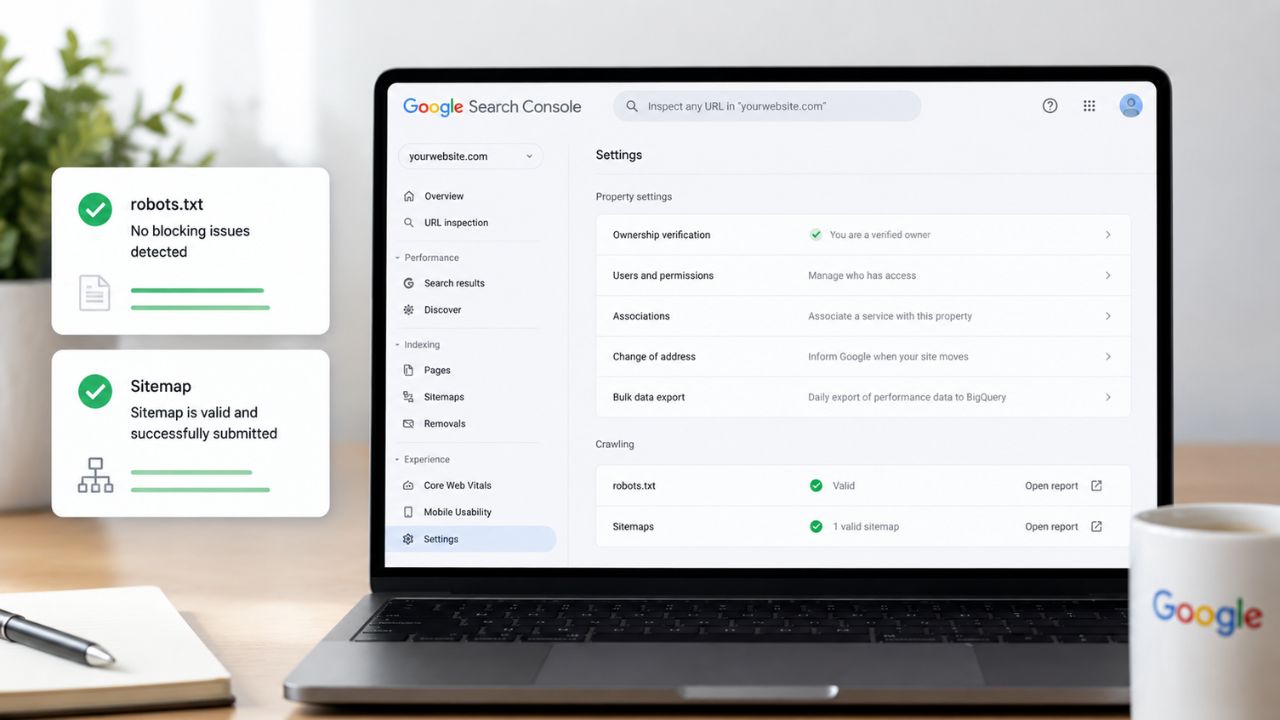
- Go to Google Search Console → Sitemaps
- Enter your sitemap URL and click Submit
- After 24–48 hours, Search Console shows how many URLs were submitted vs. how many Google actually indexed
- A large gap between submitted and indexed URLs is a diagnostic signal – investigate which pages aren’t being indexed and why
Test Your robots.txt
- Go to Google Search Console → Settings → robots.txt
- Use the built-in tester to check specific URLs against your robots.txt rules
- Enter any URL to see whether Googlebot would be allowed or blocked
- This is the fastest way to confirm your robots.txt isn’t accidentally blocking important pages
Check for Contradictions
After setting up both files, run this audit:
- Screaming Frog → filter for pages in your sitemap that are also blocked by robots.txt
- Screaming Frog → filter for pages in your sitemap that have a noindex tag
- Google Search Console → Pages → look for “Blocked by robots.txt” or “Excluded by noindex” issues on pages you want indexed
The Bottom Line
XML sitemaps and robots.txt are the two files that define Google’s relationship with your website – what it can see, what it can crawl, and what it prioritises.
For XML Sitemap & Robots.txt SEO 2026, setting them up correctly helps Google efficiently crawl and index your website content. Poor setup can block important pages, create conflicting signals, and waste crawl budget-hurting SEO performance and rankings.
For most Indian business websites: generate your sitemap through Yoast or Rank Math, submit it to Search Console, and keep your robots.txt simple. Audit both quarterly – especially after any major site updates, plugin changes, or migrations.
Want BeSky Marketing to Audit Your Sitemap and robots.txt?
At BeSky Marketing, we help Indian businesses fix crawl errors and indexing issues in 2026-auditing XML sitemaps, robots.txt settings, crawl problems, and indexing gaps to improve website visibility, faster indexing, and SEO performance.
Frequently Asked Questions (FAQs)
Q1. Do I need both a sitemap and a robots.txt file?
Yes, both are important for SEO. A sitemap helps Google find pages, while robots.txt controls crawler access.
Q2. How do I know if robots.txt is blocking important pages?
Use Google Search Console or Screaming Frog to check blocked URLs. If key pages show “Blocked by robots.txt,” update your settings.
Q3. How often should I update my XML sitemap?
Your sitemap should update automatically whenever pages are added, updated, or removed. Review it every few months for errors.
Q4. Can a robots.txt file hurt SEO?
Yes, a misconfigured robots.txt can block important pages or files, hurting rankings and indexing. Always test changes in Search Console.
Q5. Should I include all pages in the sitemap?
No, only include important indexable pages. Exclude 404s, redirects, noindex pages, and admin URLs to save crawl budget.
