Here’s a problem that’s more common than most agencies will admit.
A business has been running Google Ads for six months. Campaigns are live. Budget is spending. But when you ask “which keywords are actually generating leads?” – nobody knows. The conversion tracking was never set up properly.
Without conversion tracking, Google Ads is flying blind. You can see clicks and impressions, but you have no idea which clicks became enquiries, calls, purchases, or customers. You can’t optimise what you can’t measure – and you’re handing Google’s algorithm incomplete data, which limits how well Smart Bidding can work.
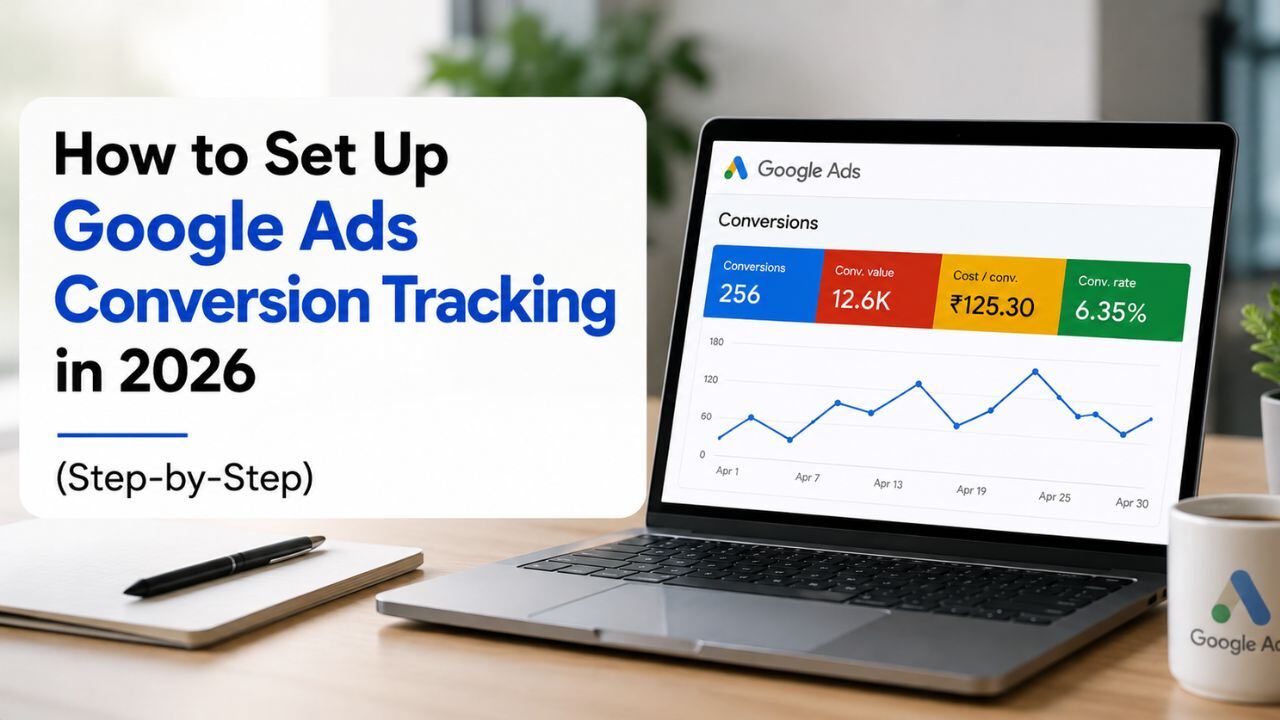
This is your complete Google Ads conversion tracking setup 2026 guide – what to track, how to set it up correctly, and the common mistakes that quietly destroy campaign performance.
Why Conversion Tracking Is Non-Negotiable in 2026
In 2026, Google’s automated bidding strategies – Target CPA, Target ROAS, Maximise Conversions, and Performance Max – are all driven by conversion data. Without accurate conversion tracking, these strategies have nothing to optimise toward and default to proxy signals that don’t reflect actual business outcomes.
The practical consequences of missing or broken conversion tracking:
- Smart Bidding optimises for the wrong thing – if you’re only tracking page views because your form isn’t tagged, the algorithm bids to maximise page views, not leads
- You can’t identify your best keywords – without knowing which keywords convert, you can’t allocate budget intelligently or exclude non-converting terms
- Reporting is meaningless – cost, clicks, and impressions without conversion data tells you nothing about whether your spend is working
- ROI is impossible to calculate – and therefore impossible to justify or improve
This ads tracking guide covers every major conversion type Indian businesses need to track, and exactly how to set each one up.
What to Track: The Core Conversion Types
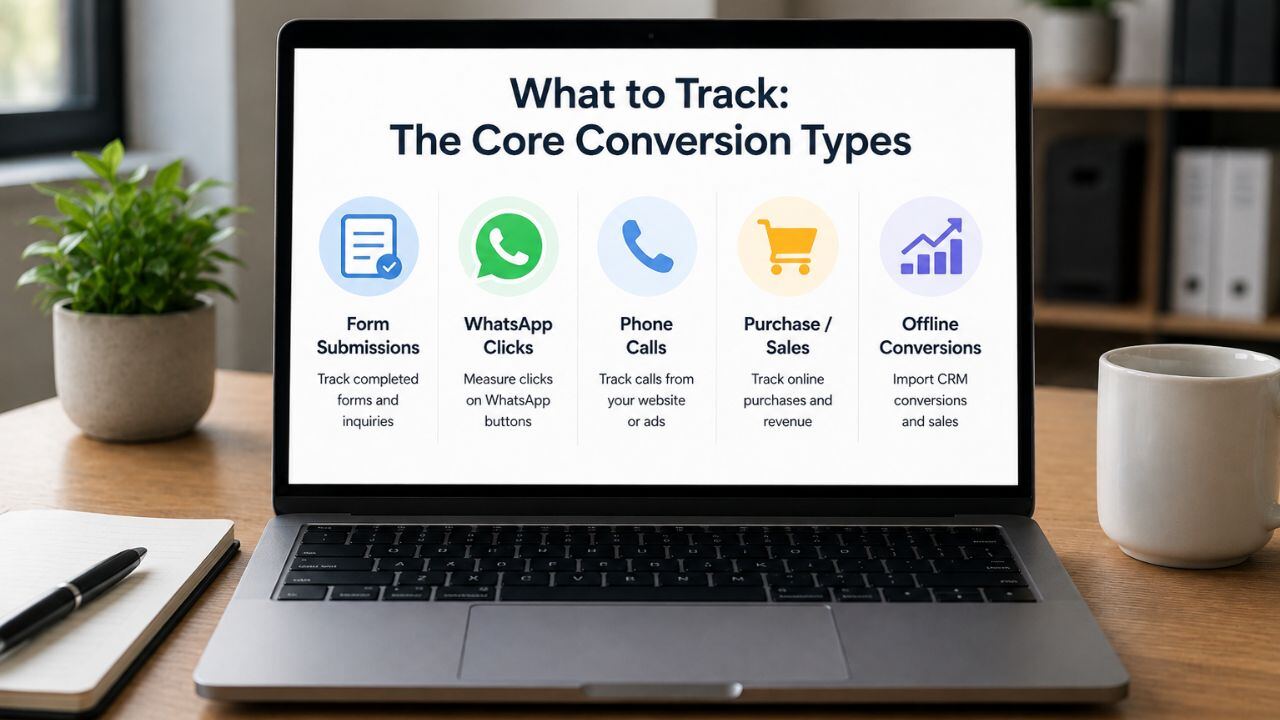
Before touching Google Ads or Google Tag Manager, identify every action on your website that represents a valuable conversion for your business.
For Service Businesses (CA firms, agencies, clinics, consultants):
- Form submission – contact form, enquiry form, consultation booking form
- Phone call from website – click-to-call on mobile, or calls tracked from your number displayed on the site
- WhatsApp click – the single most important conversion event most Indian service businesses miss entirely
- Thank you page visit – if your form redirects to a confirmation page after submission
For eCommerce Businesses:
- Purchase – with transaction value passed to Google Ads for ROAS reporting
- Add to cart – useful as a micro-conversion signal
- Checkout initiated – signals high intent, useful for remarketing audience building
- Account creation – particularly for subscription businesses
You don’t need to track everything at once. Start with your primary conversion action – the one that most directly represents revenue or a qualified lead – and expand from there.
Step 1: Create a Conversion Action in Google Ads
Navigate to Conversion Settings
- Log into your Google Ads account
- Click the Goals icon in the left navigation (the flag icon)
- Select Conversions → Summary
- Click the blue + New conversion action button
Choose Your Conversion Source
Google Ads will ask where your conversion happens:
- Website – for form submissions, thank you page visits, button clicks, WhatsApp clicks
- Phone calls – for calls made directly from your ad (calls from the ad itself, not your website)
- Import – for importing offline conversions from your CRM
For most businesses, start with Website.
Configure Your Conversion Action
- Category: Choose the closest match (Purchase, Submit lead form, Contact, etc.)
- Conversion name: Be specific – “Contact Form Submission” is better than “Conversion 1”
- Value: Assign a fixed value if your leads have a known average value, or use “Don’t assign a value” if you prefer to track purely by volume
- Count: For lead forms, choose “One” – you don’t want a single form submission counted multiple times. For purchases, choose “Every.”
- Conversion window: 30 days for most lead generation, 90 days for longer sales cycles
- Attribution model: Use Data-driven attribution if available (requires sufficient conversion volume). Otherwise use Last click.
Click Save and Continue.
Step 2: Install the Google Tag (gtag.js)
Google Ads will generate a Google tag – a snippet of JavaScript that must be installed on every page of your website. This is the base tag that enables all conversion tracking.
Option A: Install via Google Tag Manager (Recommended)
Google Tag Manager (GTM) is the correct way to manage tracking tags in 2026. It allows you to add, edit, and manage conversion tags without modifying your website’s code directly – and without needing a developer for every change.
- If you don’t have GTM set up, go to tagmanager.google.com and create a new container
- Install the GTM container snippet on your website (this is a one-time developer task)
- In GTM, create a new Tag → choose Google Ads Conversion Tracking
- Enter your Conversion ID and Conversion Label from Google Ads (found in the setup instructions)
- Set the Trigger to the appropriate page or event (see Step 3)
- Publish the GTM container
Option B: Direct Code Installation
If you don’t use GTM, Google Ads provides a direct code snippet. Paste the base Google tag in the <head> section of every page, and the conversion event snippet on the specific page or action that represents your conversion. Most WordPress sites can use a plugin (Site Kit by Google, or Insert Headers and Footers) to install the base tag without code editing.
Step 3: Set Up Specific Conversion Triggers
Thank You Page Conversion (Easiest)
If your form redirects to a /thank-you page:
- Create a Page View trigger in GTM
- Set URL contains /thank-you
- Attach it to your conversion tag
This is the simplest and most reliable method.
Button Click / Form Submit Conversion
If the form stays on the same page:
- Use Click or Form Submit triggers in GTM
- Fire the tag on successful form submissions
- Test carefully in GTM Preview Mode
WhatsApp Click Conversion
Important for Indian businesses using WhatsApp leads:
- Create a Click trigger for URLs containing wa.me or api.whatsapp.com
- Connect it to a conversion tag
- Label it “WhatsApp Button Click” in Google Ads
Phone Call Conversion
For website call tracking:
- Go to Google Ads → New Conversion → Phone Calls
- Use Google’s forwarding number
- Set a minimum call duration (e.g., 60 seconds) to filter low-quality calls.
Step 4: Verify and Test Your Tracking
Using Google Tag Assistant
Install the Chrome extension, visit your site, complete a test conversion, and check that:
- The base Google tag fires on every page
- The conversion tag fires only on the correct action
- No duplicate tags are firing
Using GTM Preview Mode
Open Preview in GTM and test a form submission or WhatsApp click. Ensure the conversion tag fires correctly – and only once.
Check Conversion Status in Google Ads
After 24–48 hours, go to Goals → Conversions → Summary and confirm the status shows “Recording conversions” instead of “No recent conversions” or “Tag unverified.”
Step 5: Import Offline Conversions (Advanced)
Offline Conversion Imports
For businesses with longer sales cycles (e.g., CA firms or B2B companies), offline conversion tracking helps Google optimise for actual customers, not just leads.
How It Works
- Capture the GCLID when a user clicks an ad and submits a form
- Store it in your CRM with lead details
- When the lead becomes a customer, export the GCLID, conversion time, and value
- Upload the file to Google Ads → Goals → Conversions → Uploads
Google matches the conversion to the original ad click and improves future bidding.
Common Conversion Tracking Mistakes
- Tracking page views as conversions → inflates numbers if thank-you pages are public
- Double-counting conversions → avoid running GTM and direct tags together
- Ignoring internal traffic → exclude office/team visits from tracking
- Wrong conversion count setting → use “One” for lead forms, not “Every”
- Too few conversions → track micro-conversions (WhatsApp clicks, page engagement) to improve Smart Bidding signals.
The Bottom Line
Conversion tracking is not a setup task you do once and forget – it’s the measurement foundation that everything else in your Google Ads account depends on.
Want BeSky Marketing to Set Up Your Conversion Tracking?
requently Asked Questions (FAQs)
Q1. Do I need Google Tag Manager for conversion tracking?
No, but it’s highly recommended. You can add tracking code manually, but GTM makes setup, testing, and updates much easier. In 2026, managing tools like Google Ads, GA4, and Meta Pixel through GTM is standard practice.
Q2. How do I know if conversion tracking works?
Use three checks:
- Google Tag Assistant – test if tags fire correctly.
- GTM Preview Mode – verify triggers before publishing.
- Google Ads Status – after 24–48 hours, check for “Recording conversions.”
Q3. Should I track WhatsApp clicks as conversions?
Yes, especially for Indian businesses. WhatsApp enquiries are valuable leads. Track clicks on wa.me or api.whatsapp.com via GTM and send them to Google Ads as a conversion.
Q4. What is GCLID and why does it matter?
GCLID (Google Click Identifier) tracks the exact ad click that brought a visitor. Storing it in your CRM helps match offline sales back to specific ads, keywords, and audiences for better optimisation.
Q5. How many conversions are needed for Smart Bidding?
Aim for 30+ conversions/month per campaign (ideally 50+). If volume is low, add micro-conversions like WhatsApp clicks or contact page visits as secondary signals.
