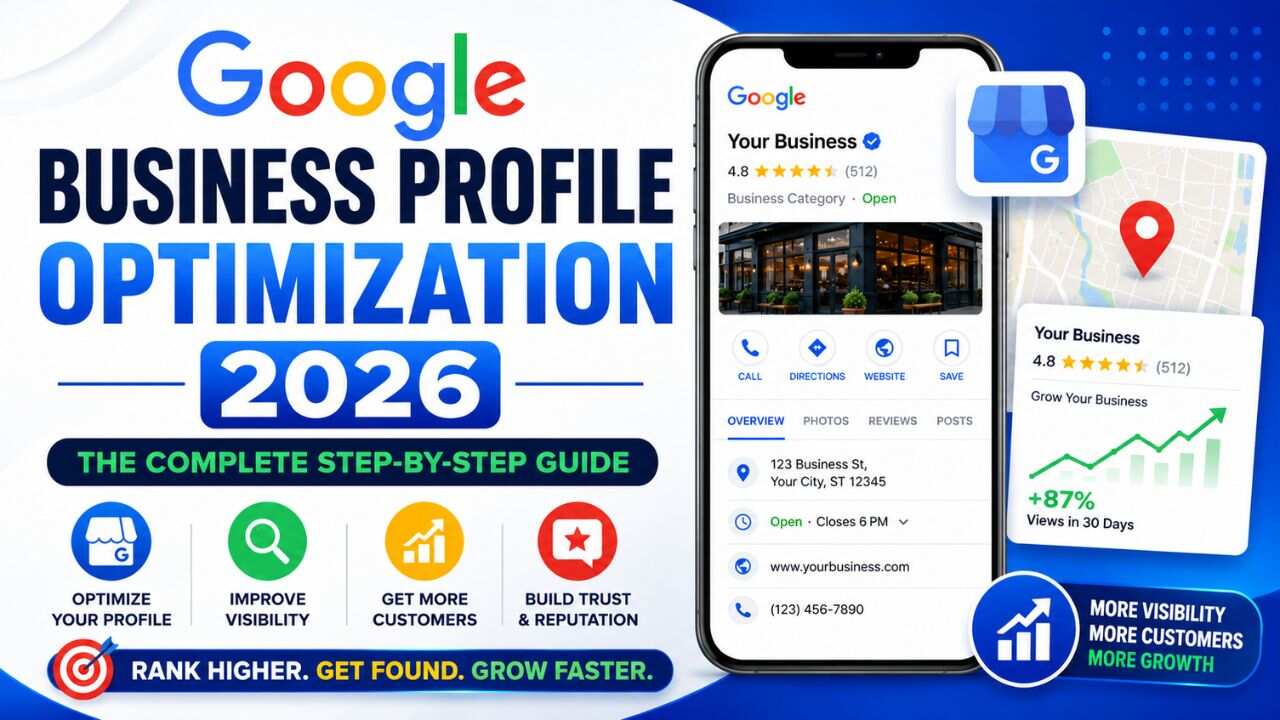
Your Google Business Profile is the most visible thing about your business on the internet – and most businesses are running it on default settings.
No updated photos. Incomplete service listings. Zero posts. And then wondering why the Local Pack keeps showing competitors instead of them.
In 2026, Google Business Profile optimization is not a one-time task. It’s an ongoing discipline. The businesses treating it that way are consistently appearing in the Local Pack, Google Maps, and increasingly in AI-generated local search summaries that now appear above the traditional map listings.
This is your complete, step-by-step guide to Google Business Profile optimization 2026.
Why GBP Matters More in 2026 Than Ever Before
Google’s AI Overviews now pull from GBP data for local queries. When someone searches “best CA firm in Pune,” Google doesn’t just show the Local Pack anymore. For many local searches, it generates an AI summary citing specific businesses – pulling from your GBP description, services list, and review content.
If your profile is thin or incomplete, you won’t appear in those AI citations – even if you technically rank in the Local Pack.
Google My Business 2026 (now officially Google Business Profile) is also more competitive than it’s ever been. More businesses are actively managing their profiles. The gap between an optimised profile and an abandoned one is wider than ever – and it’s only going to increase.
Step 1: Claim and Verify Your Profile
This sounds obvious – but many Indian businesses still have unclaimed profiles that Google created from public data.
Go to business.google.com and search for your business name. If a profile exists and isn’t claimed, claim it. If none exists, create one from scratch.
Verification is done by postcard, phone, or video. Complete verification before optimising – unverified profiles have suppressed functionality and limited visibility
Step 2: Choose the Right Business Category
This is one of the most impactful elements of GBP SEO 2026 – and one of the most frequently mishandled.
Your primary category tells Google what type of business you are. It directly determines which local searches you appear in. Getting it wrong means showing up for the wrong audience or not showing up at all.
Category Best Practices
- Primary category: Be as specific as possible. “SEO Agency” beats “Marketing Agency.” “CA Firm” beats “Professional Services.”
- Secondary categories: Add every legitimate additional category for real services you offer. An accounting firm might add “Tax Consultant,” “Bookkeeping Service,” and “Business Management Consultant.”
- Don’t over-categorise: Only add categories for services you genuinely provide. Keyword-stuffing via irrelevant categories can suppress your profile.
Step 3: Write a Description That Feeds Google and AI

Your business description is 750 characters of searchable, indexable text – and most businesses waste it on vague brand statements nobody searches for.
Your description should explicitly state:
- What you do (specific services)
- Where you operate (city, area, region)
- Who you serve (target customer or industry)
- What makes your approach distinct
Weak example: “We are a leading digital marketing company committed to delivering results.”
Strong example: “BeSky Marketing is an SEO and content marketing agency based in Chandigarh, serving businesses across Punjab, Haryana, and Delhi NCR. We specialise in eCommerce SEO, local SEO, and content strategy for Indian brands targeting organic growth.”
The second version answers specific local queries, includes service keywords, and feeds directly into AI Overview extraction. This is the 2026 standard.
Step 4: Build Out Services and Products Completely
The Services section is where local business profile ranking gains are consistently being left on the table.
Every service you add creates an additional search-matching surface. A digital marketing agency listing “eCommerce SEO,” “Local SEO,” “Link Building,” and “Content Marketing” as separate services matches far more queries than one with only “Digital Marketing” listed.
How to Build Your Services Section
- Add every distinct service as a separate item
- Write a 2–3 sentence description for each – include relevant keywords naturally
- Add pricing where possible (ranges are fine) – profiles with pricing data get higher engagement
- For product businesses, upload product listings with photos, descriptions, and prices
Step 5: Upload Photos and Videos Consistently
Photos are not optional if you want to compete in 2026. Businesses with 10+ recent photos consistently outperform those with few or outdated images in both Local Pack rankings and click-through rates.
What to Upload
- Exterior photos: Your building and signage – helps customers find you and confirms you’re a real location
- Interior photos: Your office or workspace – builds trust before a first visit
- Team photos: Named, professional photos – feeds Google’s E-E-A-T signals
- Work photos: Projects, deliverables, before/afters, product shots
- Videos: Short 30–60 second clips – office tours, client testimonials, service walkthroughs
Update photos at minimum quarterly. Google timestamps uploads. A profile whose most recent photo is 18 months old signals inactivity – which affects both rankings and user trust.
Step 6: Post to Your GBP Every Week
GBP Posts are a direct, free content channel that appears on your Business Profile in search results. Fewer than 30% of Indian businesses use this feature consistently – which makes it one of the easiest competitive advantages available.
What to Post
- Offers: Seasonal promotions, Diwali deals, year-end discounts
- Updates: New services, certifications, team additions, office changes
- Content links: Your latest blog post or guide – drives traffic and signals active content production
- Events: Webinars, workshops, in-store events – these get featured placement in search
- Products: For product businesses, individual items with direct purchase links
Post at least once per week. GBP posts older than 7 days are deprioritised by Google, so consistency matters more than volume.
Step 7: Build and Manage Reviews Strategically
Reviews are the highest-weight signal in Google’s local algorithm – and in 2026, they directly feed AI-generated local summaries.
The Review System That Works
Create a short direct link to your GBP review page (available in your GBP dashboard under “Get more reviews”). Shorten it for easy sharing.
Send it to every satisfied customer within 24–48 hours of a positive interaction – by WhatsApp, email, or in person while the experience is fresh.
Respond to every review within 48 hours. For positive reviews, thank the reviewer and mention a service keyword naturally: “Thank you for choosing our SEO agency in Chandigarh – we’re glad our local SEO strategy delivered results.”
Your responses are indexed text. Every well-written response adds keyword context to your profile at zero additional cost – one of the highest-ROI activities in local SEO.
Step 8: Keep NAP Data Accurate and Consistent
NAP stands for Name, Address, Phone – the three core identifiers Google uses to trust your business data. Inconsistencies across your GBP, website, and directories directly suppress local rankings.
Audit these fields quarterly:
- Business name (exact legal name – no keyword additions)
- Address (same formatting everywhere – “Sector 17-C” not “Sector 17C” if that’s what your website uses)
- Phone number (consistent formatting across all platforms)
- Website URL (link to your most relevant service or location page – not just your homepage)
- Business hours (update for Diwali, public holidays, seasonal changes)
- Business attributes (woman-owned, accessible, appointment required – these feed search filters)
Step 9: Pre-Populate the Q&A Section
The Q&A section on your Business Profile is almost universally ignored – and that’s a problem. Anyone can post a question on your GBP. Anyone can answer it – including competitors with inaccurate information.
Pre-populate it yourself:
- Log into your GBP, navigate to Q&A, and post common questions your customers ask
- Answer them clearly, with relevant keywords naturally included
- Typical examples: “Do you offer free consultations?”, “What areas do you serve?”, “What is your pricing for [service]?”
This content is indexed by Google and can surface directly in search results. In 2026, it also feeds AI local summary systems.
Step 10: Monitor GBP Insights Monthly
Optimisation without measurement is guesswork. GBP Insights shows you exactly how searchers find and interact with your profile. Check it monthly.
Key Metrics to Track
- Search queries: What are people searching when your profile appears? This reveals untargeted keyword opportunities.
- Profile views: How many times did your profile appear in search and Maps?
- Direction requests: How many people asked for directions to your location?
- Website clicks: How many people clicked through from your GBP to your website?
- Phone calls: How many calls originated from your profile?
If direction requests are high but website clicks are low, your profile is attracting foot traffic but not digital engagement – review your website link and services section.
The Bottom Line
Google Business Profile optimization is the single highest-ROI local marketing activity available to most Indian businesses – and it’s completely free.
That discipline – applied across all ten steps above – is what separates a profile that drives business from one that exists in name only.
Ready to Dominate Local Search in Your City?
Frequently Asked Questions (FAQs)
Q1. How long does Google Business Profile optimization take?
Basic improvements can show results in 4–8 weeks, while competitive Local Pack rankings may take 4–9 months.
Q2. Is Google My Business the same as Google Business Profile?
Yes. Google renamed Google My Business to Google Business Profile in 2021.
Q3. How many photos should I upload to my GBP?
At least 10 photos is recommended, with 2–3 fresh uploads every month for better visibility.
Q4. What should I do if I get a negative review?
Respond quickly, stay professional, acknowledge the issue, and offer to resolve it privately.
Q5. Do I need a physical address to rank on Google Maps?
No. Service-area businesses can rank using reviews, citations, and website authority even without displaying an address.
