
Ask most eCommerce brands where they focus their SEO energy- and the answer is almost always the same.
Product pages. Blog content. Maybe the homepage.
Category pages? Barely an afterthought.
And that’s exactly why most eCommerce stores are leaving their biggest organic revenue opportunity sitting completely untouched.
Yet in 2026, the majority of eCommerce stores still treat them as nothing more than a product grid with a heading slapped on top.
This blog is about fixing that.
What Makes Category Pages So Powerful for SEO

Here’s the thing about how buyers actually search.
Most people don’t start with a specific product in mind. They start with a category. “Men’s running shoes.” “Wireless earphones under ₹2000.” “Ethnic kurtas for men.” These are mid-funnel searches- the user knows what type of product they want, they just haven’t decided which one yet.
These are exactly the searches that category pages are built to capture– and exactly the searches that product pages and blog posts can’t rank for effectively.
Category keywords typically have:
- Higher search volume than individual product keywords
- Stronger purchase intent than informational blog keywords
- Less direct competition from giant marketplaces than head terms like “shoes”
When you rank a category page for “men’s casual loafers India,” every visitor who lands on it is already in buying mode. They’re not researching concepts- they’re shopping. That’s the kind of traffic that converts.
Why Most Category Pages Don’t Rank
The honest answer? Because they give Google almost nothing to work with.
A typical eCommerce category page has a category name as the H1, a filter bar, and a grid of products. That’s it. From Google’s perspective, there’s no content to evaluate, no keyword signals to parse, no reason to rank this page over a competitor’s.
Google needs content to rank pages. Without it, your category page is invisible- regardless of how good your products are.
The other common issues killing ecommerce category SEO in 2026:
- No schema markup– Google can’t surface your products as rich results
- Thin or missing meta titles and descriptions– auto-generated defaults that are too generic to rank
- Poor internal linking– no connections to related subcategories or blog content
- Unoptimised H1s– just the category name, no keyword intent
- Duplicate content from filtered URLs (by size, colour, price) being indexed as separate pages
Fix these, and you’re already ahead of the majority of your competitors.
How to Optimise Category Pages for SEO in 2026
Step 1: Start With Keyword Research Specific to Category Intent
Don’t just optimise for the obvious category name. Research what buyers actually type when looking for that category of product.
Use Google’s autocomplete, People Also Ask, and tools like Ahrefs or Semrush to find:
- Modifier-based keywords (“lightweight,” “waterproof,” “for beginners,” “under ₹[price]”)
- Use-case keywords (“running shoes for flat feet,” “formal shoes for office”)
- Location-specific keywords if you do local eCommerce (“ethnic footwear India,” “handmade leather bags Mumbai”)
Build your category page around the primary keyword- and work secondary keywords naturally into the copy and subheadings.
Step 2: Write SEO Copy That Actually Helps the Buyer
This is the step that transforms a bare category page into a ranking machine.
Add 150–300 words of original, useful copy to every major category page- either above the product grid as an intro or below it as a buying guide. This copy should:
- Open with the category keyword naturally in the first sentence
- Answer the buyer’s core question– what should they look for in this category?
- Include secondary and LSI keywords without keyword stuffing
- End with a soft internal link to a related buying guide or comparison blog post
This isn’t filler text. It’s genuinely useful buying guidance that helps the visitor make a better decision- and gives Google the content signals it needs to rank the page.
Step 3: Optimise the H1, Title Tag, and Meta Description
Your H1 should never just be the category name.
Instead of: “Men’s Running Shoes” Try: “Men’s Running Shoes- Lightweight, Cushioned & Built for Performance”
This version includes descriptive keywords, communicates value, and is far more likely to rank for long-tail variations of the target keyword.
For the meta title, keep it under 60 characters and lead with the primary keyword. For the meta description, write 150–160 characters with a clear value proposition- number of products, price range, free shipping, or a key differentiator.
Your meta description won’t directly affect rankings- but it will affect click-through rate. And in 2026, CTR is a meaningful signal.
Step 4: Implement Schema Markup for Collection Pages
Collection page SEO in 2026 means structured data- full stop.
Add ItemList schema to every category page. This tells Google exactly which products are in the collection- including names, images, prices, and URLs- so Google can surface them in Shopping panels, AI Overviews, and rich product results.
Also implement:
- BreadcrumbList schema– for cleaner SERP display and better site hierarchy signals
- FAQPage schema– if you add a FAQ section to the category page (which you should)
These structured data signals are what feed Google’s AI shopping features the information they need to feature your products- not just rank your pages.
Step 5: Build Internal Links To and From Category Pages
Category pages should be the hub of your internal linking strategy- not an endpoint.
Link TO your category pages from:
- Homepage navigation and featured sections
- Relevant blog posts and buying guides
- Related product pages (“See all [category]”)
Link FROM your category pages to:
- Subcategory pages
- Related blog content (buying guides, comparisons, seasonal posts)
- High-priority individual products
This internal linking architecture tells Google that your category pages are important- and passes authority from your blog content into your commercial pages where it has the most revenue impact.
Step 6: Handle Filtered URLs to Prevent Duplicate Content
Filtered category pages are one of the most common and most damaging category page SEO ecommerce 2026 issues.
When customers filter by size, colour, price, or rating, most eCommerce platforms generate a new, indexable URL. If left unchecked, Google sees hundreds of near-identical versions of the same category page- splitting your ranking signals and wasting crawl budget.
The fix:
- Use canonical tags pointing all filtered URLs back to the main category URL
- Or block filtered parameters entirely via robots.txt
- Keep pagination properly canonicalised (page 2, page 3, etc.)
This is technical- but it’s essential. Duplicate content from filtered pages is a silent ranking killer that most audits miss entirely.
What Results Can You Expect?
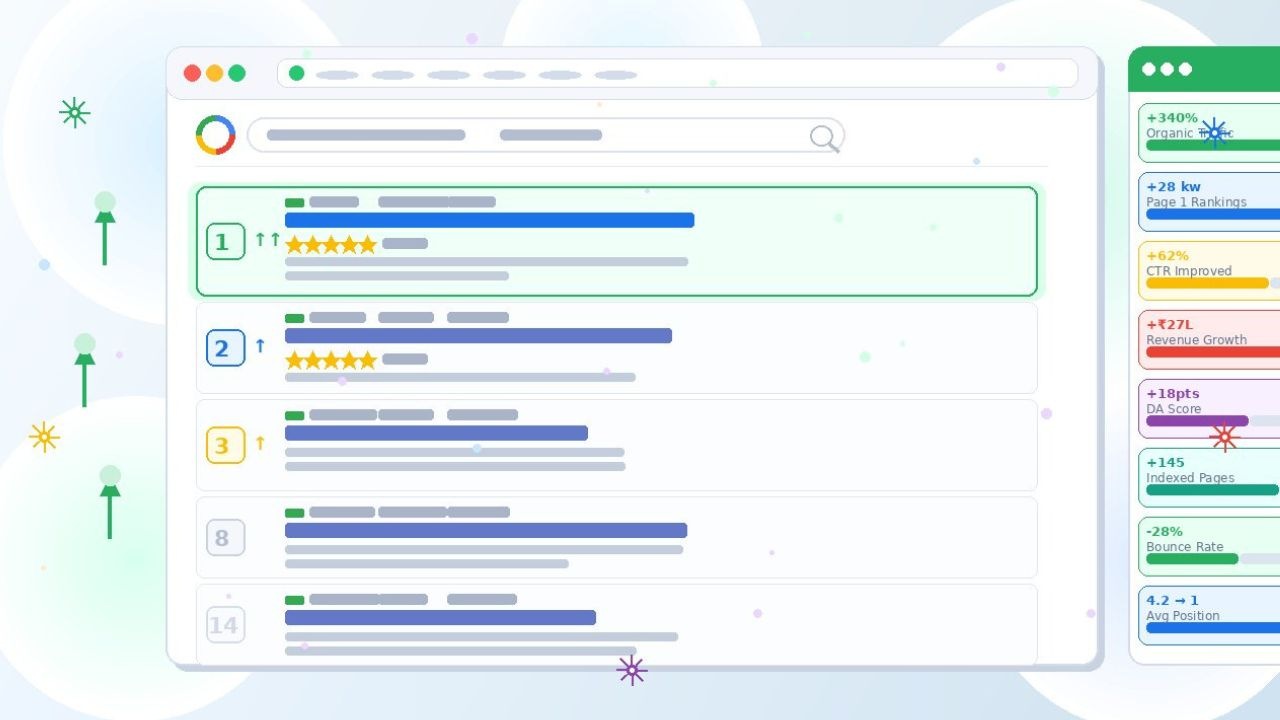
Here’s what we consistently see when brands properly optimise category pages SEO for the first time:
- Category pages moving from page 3–4 to page 1 within 6–10 weeks
- Significant increases in organic sessions to category pages within 2–3 months
- Higher conversion rates from organic traffic compared to paid- because the visitor is already in buying mode
- Compounding effect as content authority grows- rankings improve over time without additional spend
Category page SEO has one of the fastest return-on-investment timelines of any SEO tactic. The pages already exist. The products are already there. You’re not building from scratch- you’re unlocking the potential that’s already sitting in your store.
The Bottom Line
If you’re investing in SEO for your eCommerce store and your category pages are still bare product grids, you’re working at a fraction of your potential.
Optimise your category pages and you immediately improve the SEO performance of every product in those categories– because you’re building the authority hub that elevates the entire section of your site.
Start with your five highest-revenue categories. Apply every step in this guide. Measure the results. Then scale across your entire catalogue.
The opportunity is enormous. And in most Indian eCommerce niches, the competition still isn’t doing this properly.
That’s your window.
Want Your Category Pages Optimised for Organic Revenue?
At BeSky Marketing, category page SEO is one of the first things we fix for every eCommerce client- because the results are fast, the impact is significant, and most competitors haven’t done it yet.
Frequently Asked Questions (FAQs)
Q1. What is category page SEO and why does it matter for eCommerce?
Category page SEO is the process of optimising your eCommerce collection or category pages- their content, metadata, schema markup, and internal linking- so they rank for mid-funnel, high-intent keywords that buyers use when searching for a type of product. It matters because category pages can rank for dozens of keywords simultaneously and attract buyers who are actively shopping- not just browsing. In 2026, a well-optimised category page is often the highest-revenue organic asset on an eCommerce site.
Q2. Why are my category pages not ranking on Google?
The most common reasons are a lack of on-page content (bare product grids give Google nothing to evaluate), generic or auto-generated title tags and H1s, missing schema markup, poor internal linking, and duplicate content from filtered or paginated URLs being indexed as separate pages. Google needs content signals to rank any page- and most category pages provide almost none. Adding 150–300 words of original buying guidance copy, optimising metadata, and implementing schema markup are the fastest fixes.
Q3. How much content should I add to a category page?
150–300 words is the sweet spot for most eCommerce category pages. It’s enough to give Google strong keyword and content signals without overwhelming the buyer with text before they see the products. Place it either above the product grid as a short intro or below it as a buying guide- both work well. Focus on genuinely useful information: what to look for in this category, key buying considerations, and who the products are best suited for. Never write filler content just to hit a word count.
Q4. What is Item List schema and should I add it to category pages?
ItemList schema is structured data markup that tells Google exactly which products are in a collection- including names, images, prices, and URLs. In 2026, it’s essential for collection page SEO because it feeds Google’s AI shopping features the structured information they need to surface your products in Shopping panels, AI Overviews, and rich product results. Without it, your category pages are invisible to the AI-powered layer of Google Search that increasingly drives product discovery before organic results even appear.
Q5. How long does it take to see results from category page SEO optimisation?
Faster than almost any other SEO tactic- typically 6–10 weeks for meaningful ranking improvements on well-optimised category pages. This is because the pages already exist, the products are already there, and you’re not building domain authority from scratch- you’re improving signals Google can immediately re-evaluate. The compounding effect builds over 3–6 months as content authority grows and internal linking strengthens. Category page SEO consistently delivers one of the fastest ROI timelines in eCommerce SEO.
